An app store rejection does not just delay your launch by a few days. A single rejection can push your timeline back weeks, and if the reviewer flags multiple issues, you may spend months cycling through submissions before your app ever goes live.
This guide covers the most common reasons apps get rejected by the major app stores, and what you can do before submission to address each one. Addressing these issues before you submit is always faster than fixing them after a rejection notice lands in your inbox.
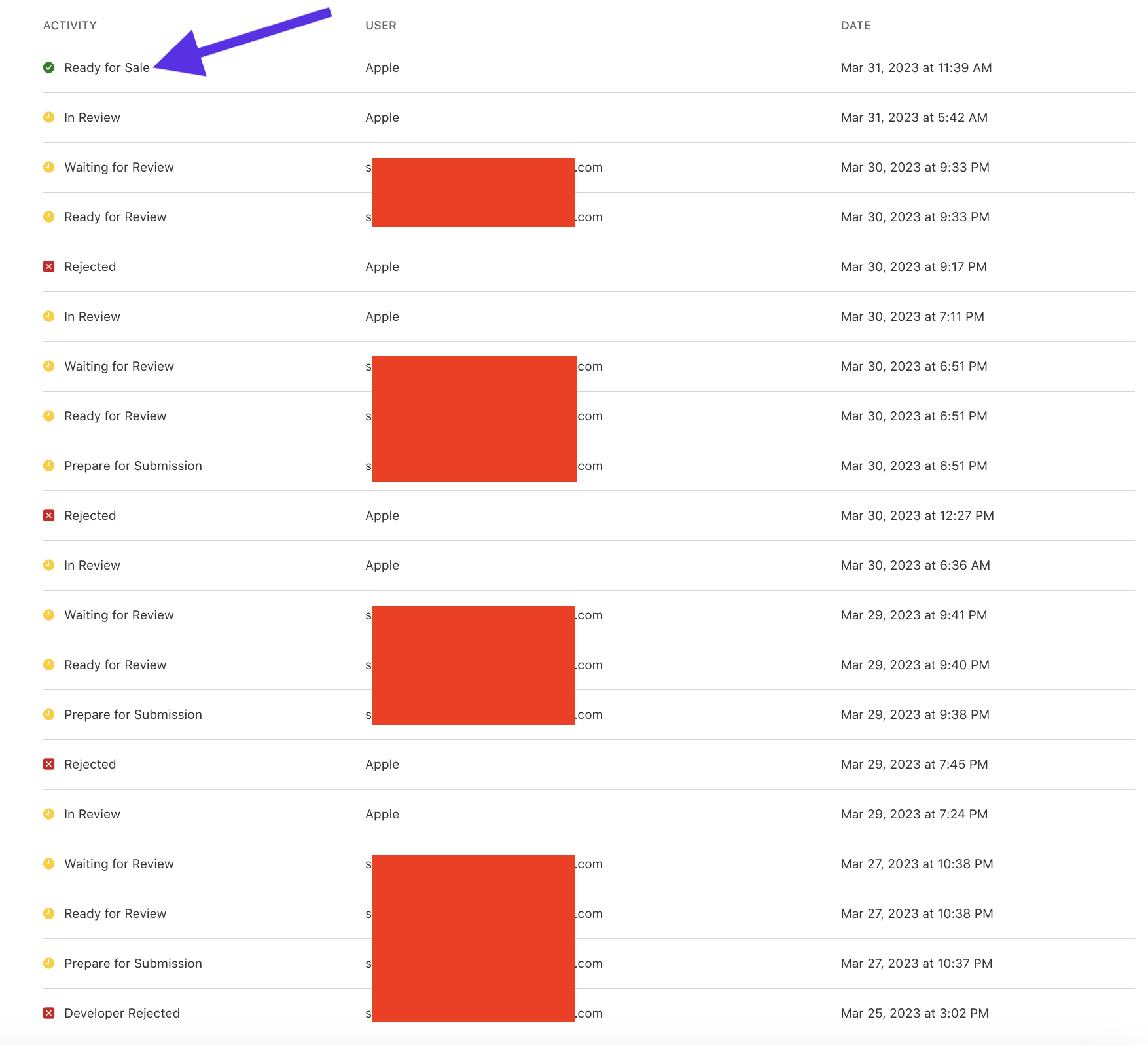
App Store rejections happen to experienced developers, not just beginners. One of our clients went through 27 separate rejections before finally getting approved. Each cycle meant another round of revisions, another wait for review, and another follow-up. Here is the record:
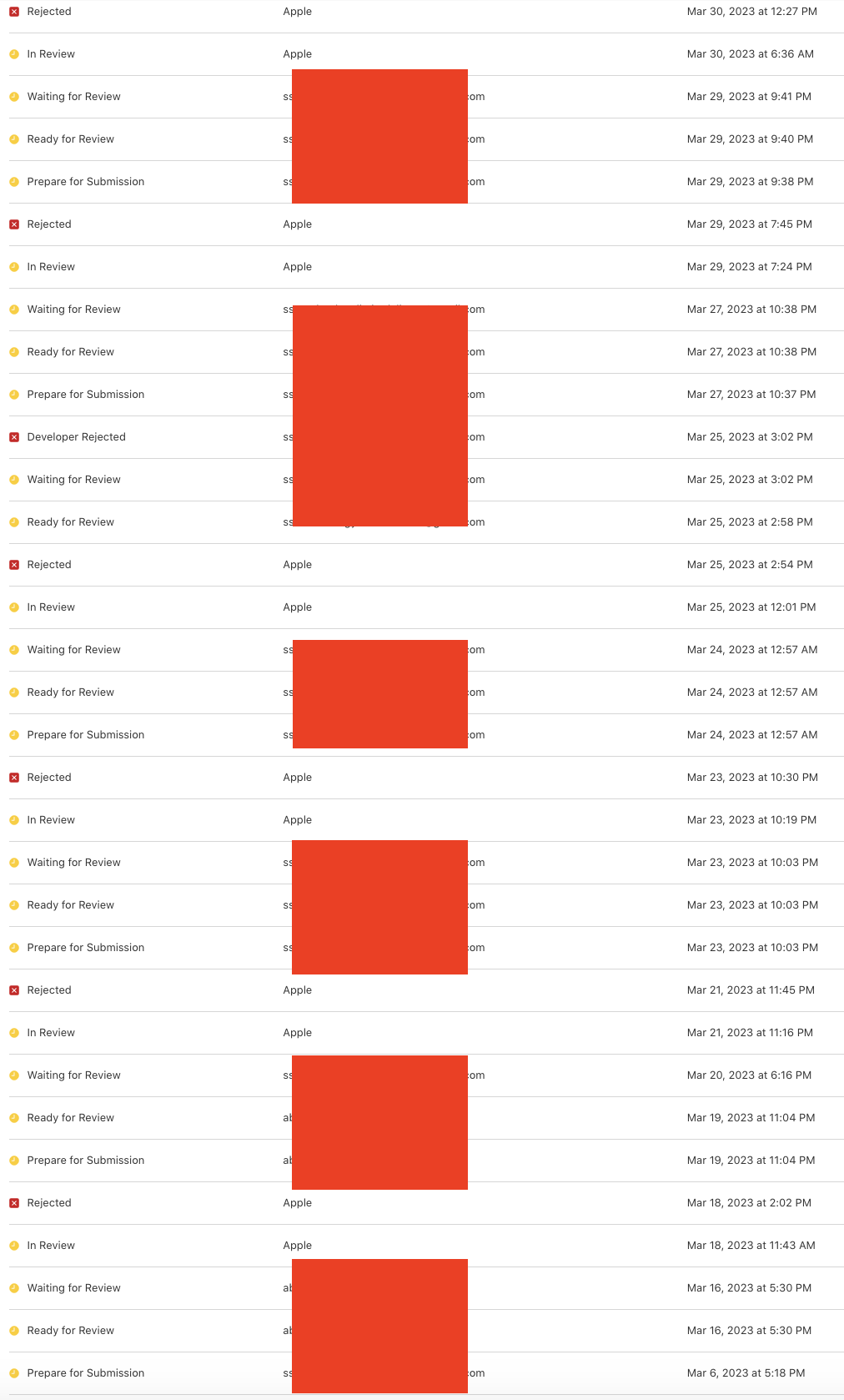
When clients use our App Store Publishing service, we handle every submission ourselves, including the debugging cycles that follow a rejection. Apps built on our no-code builder come out the other side approved. In that particular case, our team worked through each reviewer comment systematically, communicating directly with Apple until the 28th submission succeeded. The exchange is documented below:
👉🏾 Many Appbuilder24 users have also read: How do Free Apps Make Money in 2024? strategies Exposed
A Comprehensive Look at Statistics
The Apple App Store connects developers with hundreds of millions of active users, but access to that audience comes with a strict review process. A significant portion of submissions get rejected before they ever appear in search results.
Apple applies tight standards around quality, security, and platform compatibility. According to data from Apple’s own 2020 App Store report[1], 60 percent of submissions were either rejected or sent back for revision at the initial review stage.
In 2019, Apple rejected 150,000 apps per week[2%5E], and they provided some insight into the common reasons for rejection:
- Incomplete Information (14%): A significant number of rejections resulted from developers providing inadequate information during the app submission process.
- Inappropriate Content (12%): This category includes a variety of content-related issues, such as pornography, bullying, racism, or any content that violates Apple’s guidelines.
- Poor Performance (10%): Many rejections resulted from apps performing poorly, crashing, or freezing during usage.
- Privacy Policy Violations (9%): Apple prioritizes user privacy; hence, any apps that fail to meet its requirements, including lacking a clear privacy policy, face rejection.
perspectives on app store rejection
Developer’s Perspective
From a developer’s standpoint, the review process can feel opaque. Rejections sometimes arrive without detailed explanations, and resubmitting without fully understanding the reason often results in another rejection[MacWorld]. For independent developers or small teams without a dedicated compliance resource, the back-and-forth can consume weeks of development capacity.
Apple’s Perspective
Apple’s position is that its review standards protect users from low-quality, insecure, or deceptive apps. The guidelines exist to ensure that every app on the platform meets a consistent baseline for privacy, performance, and content appropriateness, which is part of what makes the App Store valuable to consumers in the first place.
Consumers’ Perspective
For users, the review process generally works in their favor. Apps that make it through Apple’s review are less likely to behave unpredictably, collect data without disclosure, or crash on launch. The trade-off is that some apps that do not meet the current guidelines may never become available on iOS, even if they would serve a legitimate purpose.
How To Avoid App Store Rejection for Developers
The App Store Review Guidelines run to several thousand words and cover everything from in-app purchase mechanics to content moderation. Reading through them in full before you submit, not after your first rejection, is the most effective way to avoid the most common pitfalls. Here are the issues that come up most often:
👉🏾 Other users are currently reading Complete List of Top Mobile App Stores in 2024.
1. Follow Platform Guidelines
Every app submission is evaluated against a published set of rules. Apple and Google both maintain detailed documentation of what is and is not permitted, and reviewers apply those standards consistently. Submissions that conflict with the guidelines, even unintentionally, will be sent back.
Read Apple’s App Store Review Guidelines in full for iOS submissions and Google’s Developer Program Policies for Android. Both cover in-app purchases, advertising standards, user-generated content rules, age ratings, legal compliance, and trademark usage. Both platforms also update their guidelines periodically, so checking for recent changes before each major submission is worth the time. Key requirements are summarized below:
- Provide Accurate Metadata
The metadata submitted alongside your app, including the title, description, keywords, and screenshots, is reviewed just as carefully as the app itself. Fields left incomplete, or filled with inaccurate information, are one of the most common reasons app stores send submissions back.
Your app title should describe what the app does clearly and concisely. Strip out trademarked terms, pricing information, and keyword padding. We have a full guide on naming your app that covers the requirements for both stores in detail.
The description should explain what the app does and why someone would want it, without padding it with repeated keywords or promotional language that has nothing to do with the app’s actual functionality.
Icons must meet the exact dimension specifications of the target platform and should visually communicate the app’s purpose without relying on embedded text, which renders poorly at small sizes.
Accurate, complete metadata not only helps with approval but also drives organic discovery. Good App Store Optimization practices overlap significantly with what reviewers expect to see. Getting the metadata right before submission saves time on both fronts.
- Provide High-Quality Screenshots
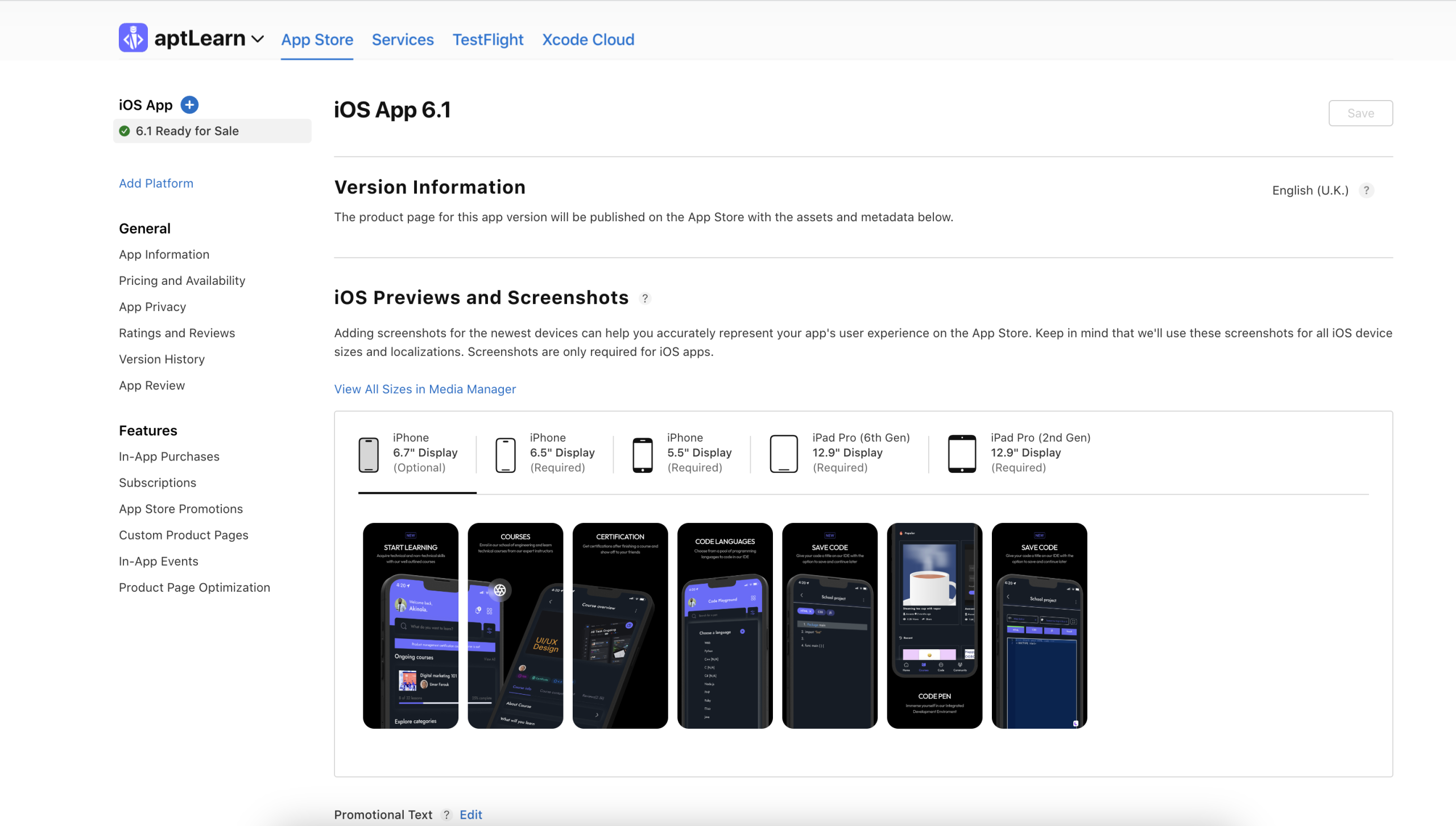
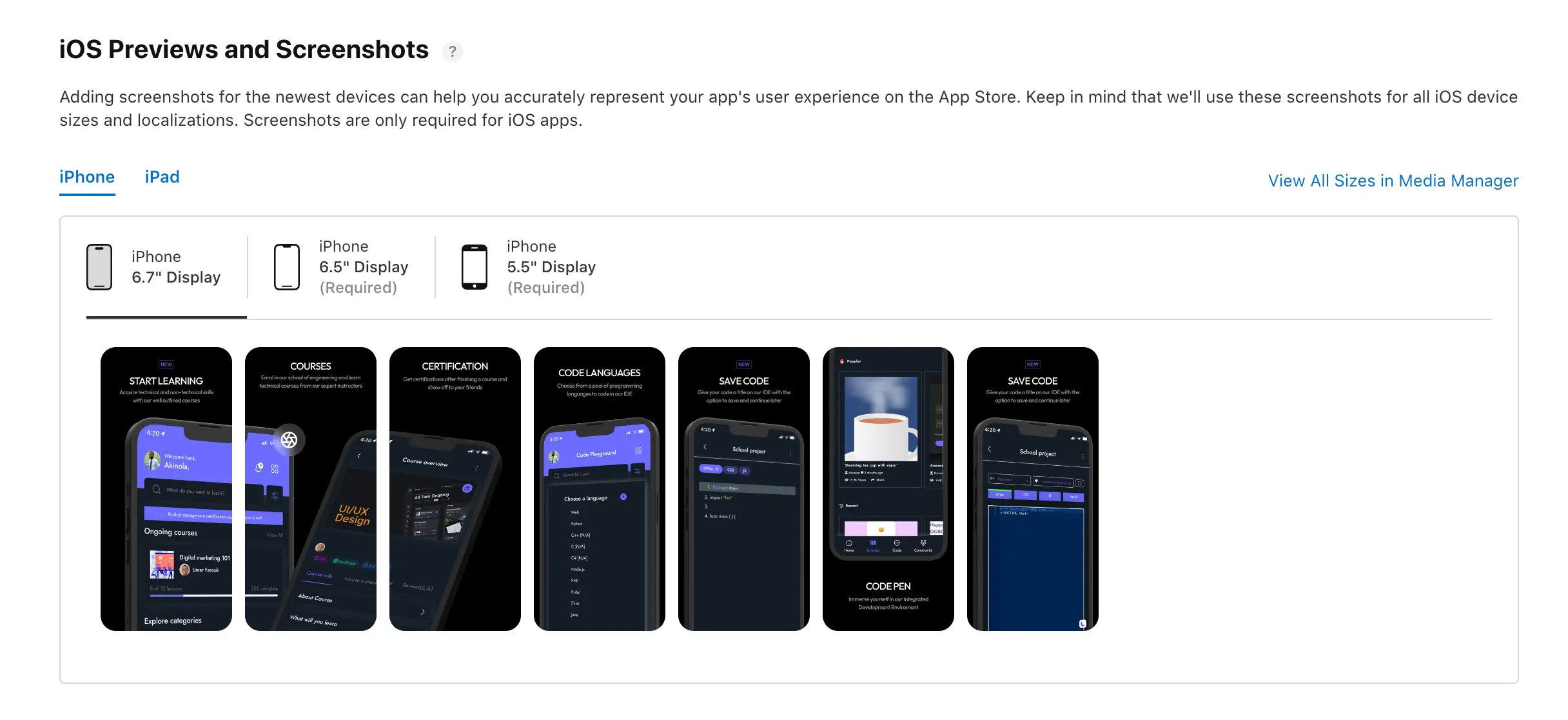
Screenshots are reviewed to confirm they accurately show what the app actually does. Images that depict features not present in the app, or that look nothing like the actual UI, are grounds for rejection. Use your screenshots to walk potential users through the app’s core screens, and add brief text overlays to clarify what they are looking at.
If you include a preview video, keep it short and focused on real in-app interactions. Long logo animations or scenes that do not represent actual app behavior will not serve you well in review or with users.
Our detailed guide on Designing App Store Screenshots covers both the creative and technical requirements for creating images that pass review and convert browsers into downloads.
- Avoid Displaced Screen Orientation
If your app supports both portrait and landscape modes, both need to work correctly. Layout breakages or unresponsive elements triggered by a rotation are caught during review and will result in rejection. Appbuilder24 users can configure orientation behavior directly from the advanced settings panel in the app editor.
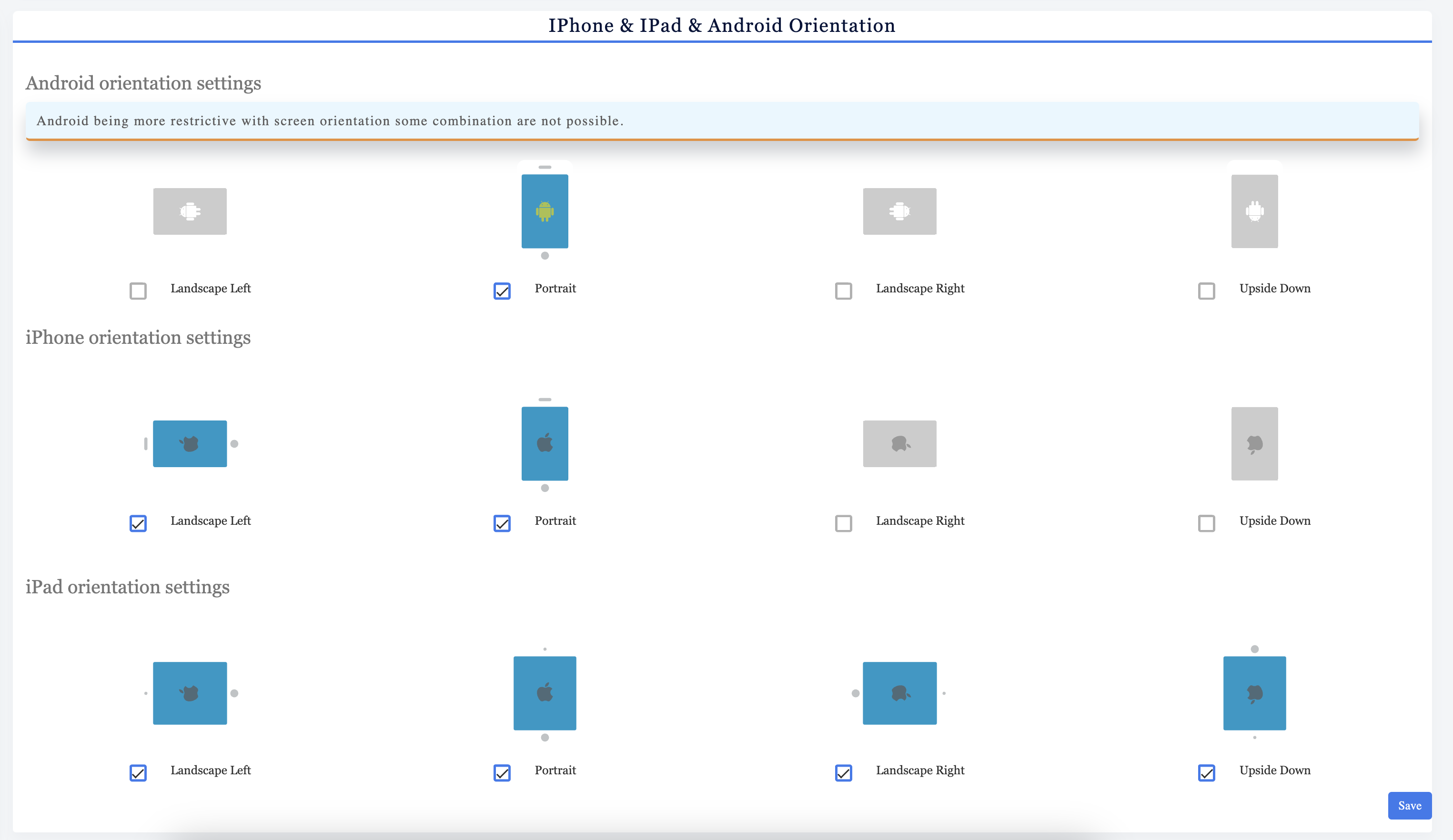
Run through every major screen in each orientation before submitting. Our guide on App Store Screen Resolution and Sizes covers the device dimensions you need to test against for both iOS and Android.
- Fix Bugs and Crashes
A crash during review is an automatic rejection, every time. Apple tests apps on real hardware across multiple device types and iOS versions, and any instability that surfaces will be documented in the rejection notice. Before submitting, run a full regression test across the device types your app targets. Recruit external beta testers to catch issues your development team has stopped seeing. Stability is non-negotiable.
- Take Note of Intellectual Property and Impersonation
Apps that replicate the look or functionality of another app without authorization, or that include copyrighted images, audio, or text without a license, will be rejected. Reviewers check for this, and Apple takes intellectual property complaints from rights holders seriously. Everything in your app, including icons, UI graphics, and any embedded content, needs to be original or properly licensed.
If you are uncertain about the intellectual property status of any asset in your app, do not include it until you have confirmed the rights. The burden is on you to verify, and assuming something is free to use because you found it online is not a defense.
- Explicit Content
Content that is sexually explicit, graphically violent, or otherwise objectionable will be rejected regardless of how technically solid the app is. If your app is designed for adult audiences, set the appropriate age rating and content descriptors during submission so the review team has that context from the start.
- Incomplete Information
If your app requires specific hardware, connects to an external service, or depends on a subscription to unlock its full functionality, state that clearly in the submission notes and in the app description. Leaving reviewers to guess how the app is supposed to work often results in rejection.
- Misleading Metadata
Keyword padding, misleading category claims, and descriptions that overstate what the app does are all grounds for rejection. Your metadata should accurately describe the version being submitted, not a future version you plan to release.
- Lack of a Privacy Policy
Any app that collects user data, including usage analytics, contact details, or identifiers, must include a clearly linked privacy policy. This is not optional. The policy must be accessible from within the app and from the App Store listing. Submitting without one is an automatic rejection.
2. Test Thoroughly Before Submitting
A submission that breaks during review will come back rejected. The time you invest in testing before submission is almost always less than the time lost to a rejection cycle.
- Test your app on real devices, not just simulators/emulators. Simulators can miss some bugs or performance issues that only show up on actual devices. You should test on both iOS and Android devices to cover the full range of screen sizes, performance levels, and OS versions your app will encounter.
- Run through every screen and feature, checking that they function correctly. Tap buttons, enter text in forms, scroll through lists, test with good and bad input values, turn the device to landscape mode, force close the app and restart, etc. Check that visual elements are displaying properly on all device sizes.
- If you use any third-party SDKs or APIs, test whether those integrations work. Switch the device into aeroplane mode to test offline functionality. Disable permissions to test how the app handles that. Sign in and out of social accounts. Run through all critical user flows.
- Load the app with large data sets if applicable. Check for memory leaks or slowdowns during extended usage.
- Have people outside the development team test on their own devices to catch issues you may not have thought of. Listen to feedback and squash bugs thoroughly before submitting.
Pre-submission testing is the single most reliable way to avoid rejection for performance issues. Beyond the review process, fixing bugs before launch also means your first real users encounter a stable product, which directly affects your early ratings.
3. Smooth User Experience and Nice Interface
Reviewers assess not just whether the app works but whether it is usable. An app that functions but is confusing to navigate or visually inconsistent will still face pushback. Follow these UI and UX standards before submitting:
- Ensure intuitive, responsive design. The interface should be easy to navigate and use on all screen sizes. All buttons and touch targets should be appropriately sized.
- Optimize for accessibility. Your app should follow accessibility guidelines to support users with disabilities. Add alt text for images, make sure it works with screen readers, and include captions if needed.
- Check that all app flows make sense. Walk through all use cases to confirm the UI guides users properly through each process. Remove any confusing or dead-end paths.
- Confirm all UI elements are properly labeled. Buttons, menus, and other UI components should have clear, concise labels so users understand what each element does.
- Verify responsive behavior on all device sizes. Use developer tools to test your app on various phone and tablet sizes. Make sure layouts adapt well, and UI elements resize appropriately.
- Review with fresh eyes. Get others who aren’t familiar with your app to test it out. See if they can navigate the app intuitively without instructions.
- Fix any UI bugs or glitches. Resolve visual defects, erratic animations, layout issues, or unresponsive elements.
- Ensure high visual design quality. Polish the visuals to look professional. Follow platform interface guidelines for a native look and feel.
An app that passes review on the first attempt is almost always one where the developer took the time to walk through every user flow as if they were encountering the app for the first time.
4. Choose Appropriate Categories
Category selection is not just an organizational decision. Reviewers check that your app actually belongs in the category you have selected. Choosing a high-traffic category that does not match your app’s actual function is treated as misrepresentation and will trigger a rejection.
Work through each store’s category definitions methodically and choose the one that most accurately describes what your app does. A puzzle game that has an educational angle is still a game. An app that is broadly useful belongs in the most specific category that fits, not the broadest one available.
When your app serves more than one clear purpose, use the primary and secondary category fields together. The primary category should reflect what most users will open the app to do.
Each category also carries its own content requirements. Apps in the Medical category must comply with regional healthcare regulations. Apps targeting children must follow specific data collection restrictions and content standards that go beyond the general guidelines.
Accurate categorization signals to reviewers that you understand who the app is for and what it does. That context shapes how they approach the rest of the review.
5. Monitor Third-Party SDKs
Every third-party SDK you include in your app is your responsibility at review time. If an SDK behaves in a way that violates store policies, your app gets rejected regardless of whether you wrote the code.
Some tips for managing third-party SDKs:
- Review SDK release notes such as API level requirements and install updates as soon as possible. Updates often contain bug fixes or changes to comply with new regulations. Outdated SDKs are more likely to cause issues.
- Pay attention to privacy concerns or violations associated with any SDKs. For example, some SDKs have been found collecting data without consent. Using questionable SDKs could lead to a rejection.
- For advertising and analytics SDKs, ensure they follow the platform’s latest guidelines around user tracking and opt-ins. Requirements in this area are frequently updated.
- Be cautious with new or untested SDKs. It’s safer to use established SDKs from reputable companies that are widely adopted by other apps.
- Test any newly integrated SDKs thoroughly before submitting your app update. Monitor network requests to confirm the SDK behaves as expected.
Staying on current SDK versions and choosing libraries from established, reputable vendors reduces the risk of a rejection tied to third-party behavior. Compliance is not a one-time checkpoint. Review requirements change, and SDKs that passed scrutiny last year may not pass today.
Appbuilder24 builds apps that are structured to meet App Store guidelines from the start. The templates and features available on the platform are designed around Apple’s and Google’s published standards, which reduces the compliance work you need to handle before submission.
Apps built on Appbuilder24 go through our internal validation process before you generate a final build, and the UI components in the platform are tested across the device sizes both stores review against.
The platform also provides resources to help you navigate the submission process after your build is ready. If you use our app creation tools and run into a reviewer question, our support team has experience working through App Store and Google Play review comments and can help you respond effectively.
Wrapping Up
App store approval is not a lottery. Most rejections happen for reasons that are documented in the review guidelines and preventable with the right preparation. The developers who consistently get through review cleanly are the ones who treat the guidelines as a pre-submission checklist, not something to read after a rejection arrives.
The common thread across most rejections is submitting before the app is genuinely ready. Test across real devices, complete all metadata fields accurately, vet your third-party dependencies, and walk through the app from a reviewer’s perspective before you click submit.
A few final tips:
- Read the app store review guidelines fully and review any updates. Follow them closely.
- Don’t try to sneak things past reviewers. Be transparent and explain the necessary capabilities.
- Be responsive to reviewer feedback and questions. Quickly resolve any issues raised.
- Seek clarification if rejection reasons are unclear. Don’t re-submit without understanding why.
- Keep iterating to improve stability, performance, security, and design.
- Stay patient and persistent. The process may take some refinement to get right.
Developers who address the common rejection reasons before submission consistently get through review faster and with fewer resubmissions. Use the guidelines above as a pre-submission checklist, not a post-rejection reference.